The quote that writes itself
A customer asks. A ready quote waits in your Gmail. Every quote request is the same 15 minutes: read it, look up prices, type a reply, try to remember to follow up. Hand it to an automation. It watches your form, AI writes the quote from your price list, and it sits in your Gmail drafts for a quick look. The tool: Zapier | | Free plan | $0, 100 tasks a month
Simple two-step automations, built by chatting. | | This one | Professional, $19.99/mo
It has three steps (form, AI, Gmail). New accounts get a free 14-day trial, no card. |
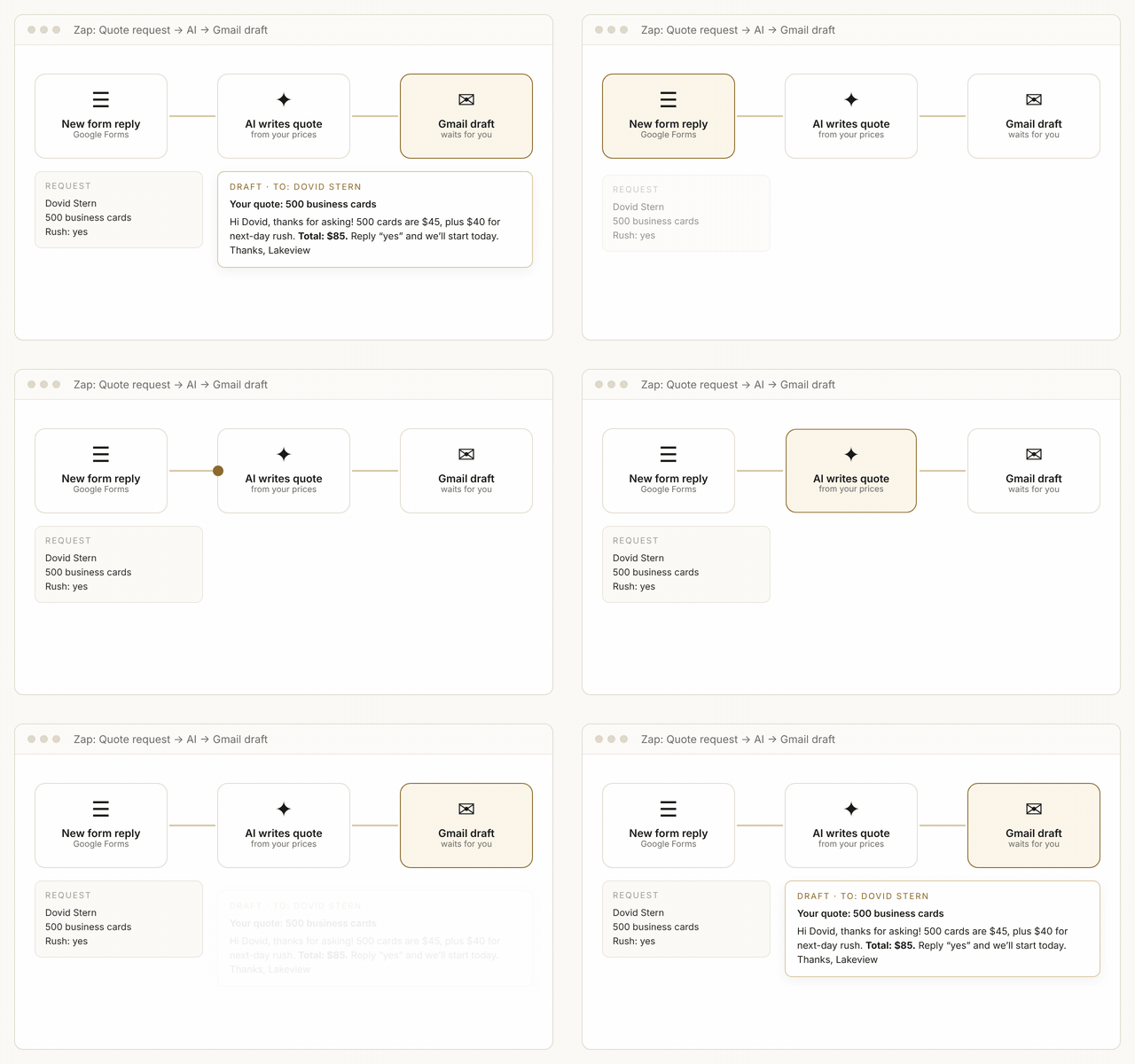 | | Form in. Draft quote out. |
How to do it today 4 steps, about 20 minutes
| 1 |
Make a simple Google Form Call it “Quote request”: name, email, phone, what they need, size or quantity. |
| 2 |
Tell Zapier what you want On zapier.com, sign up, click Create → Zap, and type into the Copilot box: When a new response comes in my Google Form “Quote request”, use AI to write a friendly quote with my prices below, and create a Gmail draft to the customer.
Prices: [paste your price list] |
|
| 3 |
Connect and test Sign in to Google when it asks. Send yourself a fake request and read the draft. |
| 4 |
Turn it on Click Publish. Every new request now arrives as a ready draft. |
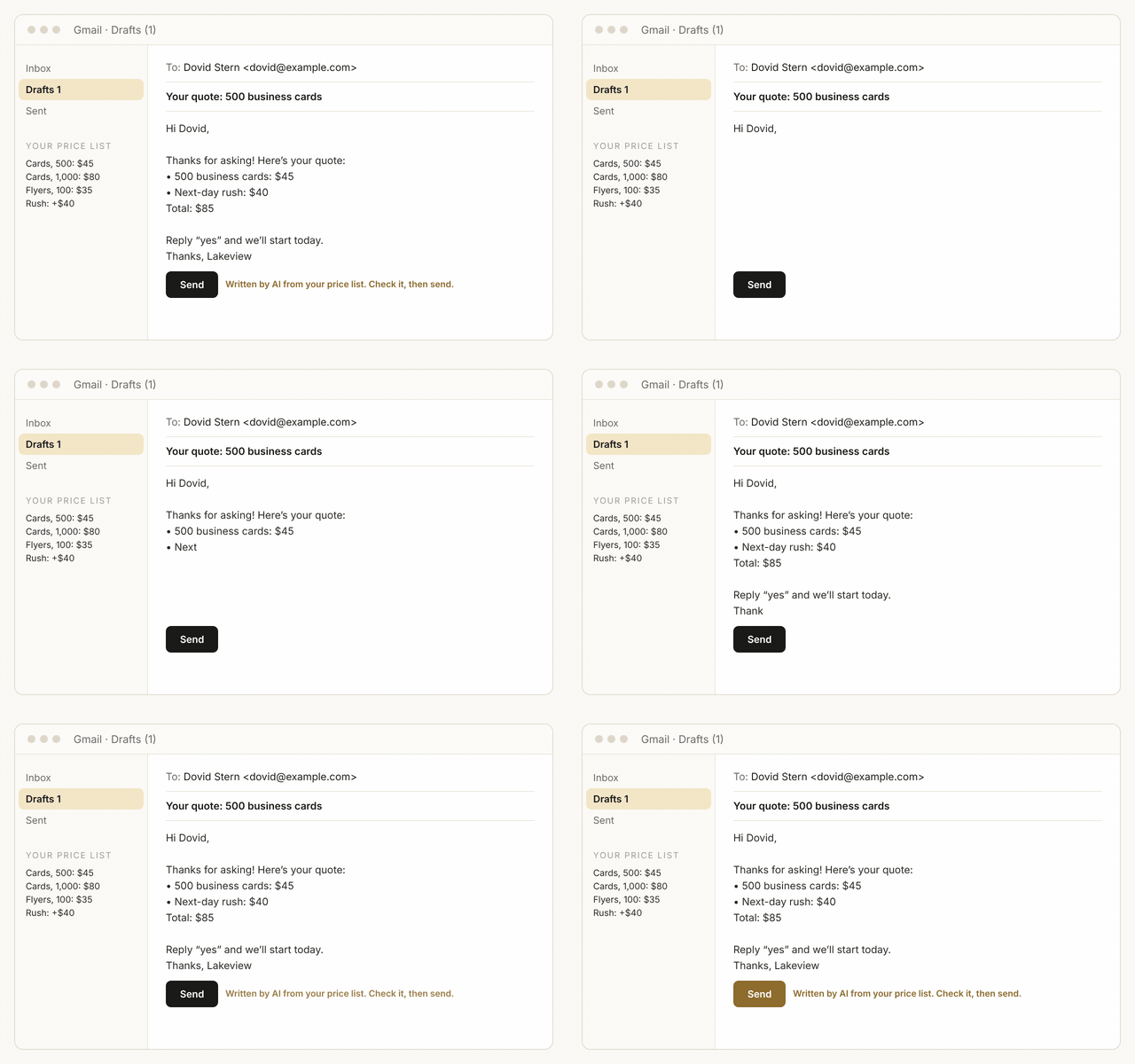 | | The draft uses your own prices and your sign-off. |
Start safe Draft, don’t send. After two weeks of good drafts, let it send on its own. |
Tomorrow: AI that works while you sleep: a morning summary of what needs you today. Talk soon, Joel
|
|
Brought to you by JL Programs · Joel Landau · 845-500-8807 · jlprograms.com
Want AI set up in your business? Just reply to this email.
Read it online · Unsubscribe
JL Programs, 87 Forest Rd, Monroe, NY 10950
|